
Download WriteMyEmail – Efficient AI Email Drafting Tool
Overview
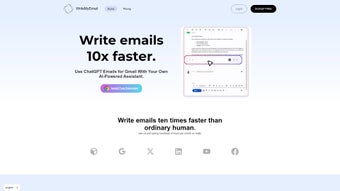
WriteMyEmail is an AI‑driven writing assistant that reshapes the way professionals create email messages. Built as a secure, web‑based application, it connects directly with popular inboxes such as Gmail and Outlook, allowing users to draft, edit, and send emails without leaving their native environment. The core promise of WriteMyEmail is speed: the platform claims users can generate complete, polished emails up to ten times faster than traditional typing.
Whether you’re a marketer crafting outreach campaigns, a sales rep chasing leads, or a creative professional managing client correspondence, the tool’s language‑agnostic engine supports dozens of languages, ensuring clarity and professionalism across borders. WriteMyEmail also offers a suite of customizable settings that let you define tone, formality, and greeting style, so each email feels personal while still adhering to corporate standards. The service operates on a flexible subscription model, offering plans for solo freelancers, growing teams, and enterprise‑wide deployments.
Each tier bundles a set number of AI‑generated responses per month, premium templates, and priority updates, making it easy to select a package that matches both budget and workflow demands. In short, WriteMyEmail positions itself as a reliable, time‑saving app that brings AI‑powered writing assistance directly to your inbox, boosting confidence and consistency in everyday communication.
Key Features & Customization Options
- AI‑generated email drafts in seconds
- Seamless Gmail and Outlook integration
- Multi‑language support (30+ languages)
- Adjustable tone and formality settings
- Customizable greeting and sign‑off templates
- Smart subject line suggestions
- Bulk response mode for outreach campaigns
- Real‑time grammar and readability checks
- Secure cloud storage with end‑to‑end encryption
- Regular updates and new template library
AI‑Generated Drafts that Feel Human
At the heart of WriteMyEmail lies a large‑scale language model fine‑tuned for business communication. When you provide a brief prompt—such as “follow up on the proposal sent last week”—the AI instantly produces a complete draft, including a subject line, greeting, body, and signature. The output respects your chosen tone (formal, friendly, persuasive) and can be further refined with a single click. Because the model is continuously trained on professional email corpora, it understands industry‑specific jargon, making it especially valuable for niche sectors like legal services or tech startups.
Deep Integration with Gmail and Outlook
WriteMyEmail eliminates the need for copy‑pasting. By installing a lightweight browser extension or connecting via OAuth, the app appears as a native button inside the compose window of Gmail and Outlook on the web. For desktop clients, a small add‑in syncs drafts in real time, allowing you to generate content without leaving your favorite email client. This integration also supports multiple accounts, so power users can toggle between personal and work inboxes while keeping the AI assistance consistent.
Personalization Through Settings
Every professional has a unique voice, and WriteMyEmail respects that. Within the Settings panel, you can define preferred salutations (e.g., “Hi [FirstName]” vs. “Dear [Title]”), signature blocks, and even company branding elements. The platform stores these preferences in a secure profile, so the AI automatically applies them to every draft. Additionally, the “Tone Slider” lets you shift from highly formal to conversational with a single movement, giving you granular control over how your message is perceived.
Installation, Compatibility & How to Use WriteMyEmail
Step‑by‑Step Installation Guide
- Visit the official WriteMyEmail website and click the Download button for your browser (Chrome, Edge, or Firefox).
- Accept the extension permissions; the add‑on will request access to your Gmail or Outlook account via OAuth – this connection is encrypted and complies with GDPR.
- After installation, a small WriteMyEmail icon appears in the toolbar. Click it to open the onboarding wizard.
- Sign in with your existing WriteMyEmail subscription or start a free 7‑day trial to explore the core features.
- Complete the quick setup: choose default language, tone, and upload any company branding assets you want the AI to use.
- Once configured, compose a new email in Gmail or Outlook. You’ll see a “Generate with WriteMyEmail” button next to the standard send button.
Operating System Support (Windows, macOS, Linux, iOS, Android)
Because WriteMyEmail is a cloud‑based service, it works on any device that can run a modern web browser. The extension is compatible with Windows 10/11, macOS Ventura and later, and most Linux distributions that support Chrome‑based browsers. Mobile users on iOS and Android can access the full feature set through a responsive web portal; a dedicated mobile app is scheduled for release later in 2026. This cross‑platform flexibility ensures that whether you’re at a desktop workstation, a coffee‑shop laptop, or on the go with a smartphone, your AI drafting assistant remains available and secure.
Typical Workflow for Maximum Efficiency
After installing the extension, start a new email as you normally would. Click the WriteMyEmail button, then type a short brief or select a pre‑built template. The AI instantly returns a polished draft.
Review the suggestions, edit any details, and hit send. For bulk outreach, use the “Campaign Mode” to upload a CSV of contacts; the AI will personalize each message using placeholders you define. Throughout this process, the tool saves each draft in an encrypted cloud vault, allowing you to retrieve or reuse past emails with a simple search.
Regular updates roll out automatically, so you always have the latest language models and security patches without manual intervention.
Pros, Cons, Expert Review, and Frequently Asked Questions
Pros
- Generates complete, professional emails up to ten times faster.
- Native integration with Gmail and Outlook eliminates copy‑paste steps.
- Supports over 30 languages, ideal for global teams.
- Highly customizable tone, greeting, and signature settings.
- Secure cloud storage with end‑to‑end encryption.
- Regular AI model updates keep suggestions fresh and relevant.
Cons
- Requires an active internet connection; offline drafting is limited.
- Full feature set is locked behind a subscription – no permanent free tier.
- Initial learning curve for users unfamiliar with AI‑assisted writing.
- Bulk campaign mode may need extra configuration for very large lists.
Overall Rating: 4.5/5 – WriteMyEmail delivers on its promise of speed and professionalism. The AI’s ability to adapt tone and incorporate branding makes it a standout tool for busy professionals. While the subscription cost may deter occasional users, the productivity gains for teams handling high‑volume correspondence justify the investment.
Frequently Asked Questions
Is WriteMyEmail free to try?
Yes, new users can start a 7‑day free trial that provides access to all premium features, including unlimited AI drafts and template libraries. No credit card is required to activate the trial.
Which email platforms are supported?
WriteMyEmail currently integrates with Gmail (both web and G Suite) and Microsoft Outlook (web, desktop, and Office 365). Additional platforms are slated for future updates.
How does WriteMyEmail handle data security?
All communications between your browser and WriteMyEmail’s servers are encrypted with TLS 1.3. Drafts are stored in an encrypted cloud vault that complies with GDPR and CCPA. The service also supports two‑factor authentication for added account protection.
Can I use WriteMyEmail on mobile devices?
Yes. The web portal is fully responsive and works on iOS and Android browsers. A dedicated mobile app is in development and will be released in early 2026.
What happens if I exceed my monthly AI draft limit?
When you reach the allocated limit, WriteMyEmail will prompt you to purchase additional draft credits or upgrade to a higher subscription tier. Drafts generated before the limit remain accessible.
Conclusion – Should You Download WriteMyEmail?
If you spend a significant portion of your day crafting emails, WriteMyEmail is a compelling addition to your productivity toolbox. The combination of AI‑driven drafting, deep integration with the two biggest email platforms, and a robust set of customization options makes it more than just a simple autocomplete. It acts as a virtual writing partner that can adapt to the nuances of your industry, language, and personal style. For solo professionals, the individual plan offers enough monthly drafts to cover daily outreach without breaking the bank. For teams, the business tier adds collaborative features, shared templates, and centralized billing, which can streamline communication standards across the organization.
While the subscription model means there’s no forever‑free version, the free trial provides ample time to evaluate whether the time saved justifies the cost. Security‑focused users will appreciate the end‑to‑end encryption and compliance certifications, and the regular AI updates ensure that your drafts stay modern and effective. In a world where email remains a primary channel for client interaction, sales, and internal coordination, a tool that can cut drafting time by up to 90 % is a strategic advantage.
Ready to experience faster, clearer, and more confident email writing? Download WriteMyEmail now and start your free trial today. Transform the way you communicate, boost your productivity, and let the AI handle the heavy lifting while you focus on what truly matters—building relationships and closing deals.



.png)



